
Check These Before You Withdraw
Name mismatches are the single most common reason a payout is delayed. If the account name on your payout method is different from your own registered details, fix that before submitting rather than after.
- Your account details are correct in Settings, and the name matches your payout account.
- Your balance is above the minimum shown on the withdrawal screen.
- Any wagering or bonus condition attached to your balance is complete.
- You know your player ID, in case you need to raise a query.
- Your registered phone number is still active for verification.
How to Request a 2Fun Bet Withdrawal
Once submitted, a request usually cannot be edited. Double-check the account number and the amount on the review step, because a payout sent to a wrong account is difficult to recover.
- Open the lobby and tap Withdraw next to your balance.
- Choose a payout method from the list shown.
- Enter or confirm the receiving account details carefully.
- Type an amount within the allowed minimum and maximum.
- Review the summary and submit the request.
- Follow the request status in the withdrawal history list.
Tracking a Pending Withdrawal
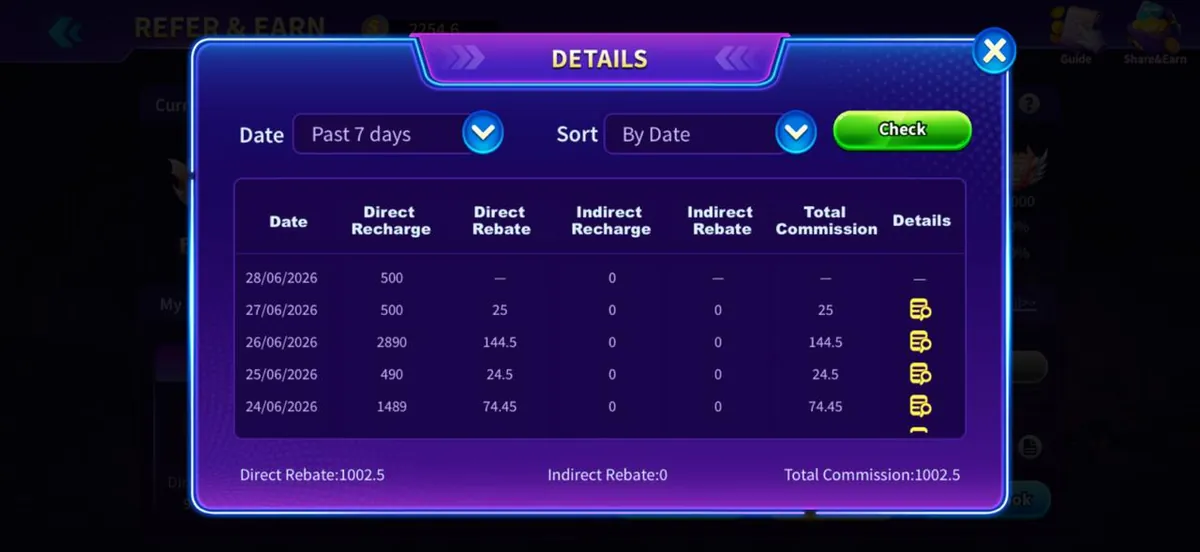
Every request appears in a history list with its date, amount, method and status. The same style of dated table is used across the app for commission and transaction records, so the layout will already be familiar if you have used Refer & Earn.
A pending status means the request is queued for processing. If it stays pending far longer than the app's stated window, use the appeal or support option and include the date, amount and your player ID.
Withdrawal Problems and Fixes
| Problem | Likely cause | What to do |
|---|---|---|
| Request rejected | Details mismatch | Correct the account name and resubmit |
| Amount not allowed | Below minimum or above maximum | Adjust to the shown range |
| Stuck pending | Processing queue | Wait the stated window, then appeal |
| Withdraw button unavailable | Condition not met | Check bonus or wagering requirements |
| Wrong account entered | Typing error | Contact support immediately with the reference |
Limits, Fees and Timing
Minimums, maximums, any fee and the expected timing are all shown on the withdrawal screen itself, and they can change with campaigns or regional rules. That screen — not a third-party article — is the number you should rely on.
If a fee applies it is displayed before you confirm, so read the summary line rather than assuming the full amount will arrive. Weekend and holiday queues can also be longer than weekdays.
Pros
- Withdraw button sits on the main lobby screen
- History list shows every request with its status
- Appeal route exists for stuck requests
- Limits and fees are shown before you confirm
Cons
- Requests generally cannot be edited after submission
- Name mismatches cause avoidable delays
- Processing times vary by method and region
A Word on Responsible Play
Withdrawing regularly rather than leaving a large balance in the app is a sensible habit. Decide in advance what you are willing to spend, treat any winnings as a bonus rather than income, and stop when you hit the limit you set.
This site is 18+ only. If play stops being fun, use the app's support channel and take a break; no guide on this website is financial advice.
Frequently Asked Questions
Q1.How do I withdraw from 2Fun Bet?
Tap Withdraw at the top of the lobby, choose a payout method, enter the receiving account details and an amount inside the allowed range, then submit. The request appears in your withdrawal history where you can follow its status.
Q2.What is the minimum 2Fun Bet withdrawal?
The minimum and maximum are displayed on the withdrawal screen and vary by method and region. Read the figures on your own screen, because these limits change and any number quoted elsewhere may be out of date.
Q3.How long does a withdrawal take?
Timing depends on the payout method and the current processing queue, and the app shows the expected window when you submit. If a request stays pending well beyond that window, raise an appeal from the history screen with your player ID.
Q4.Why was my withdrawal rejected?
The usual causes are a mismatch between your registered name and the payout account, an amount outside the allowed range, or an unmet bonus condition. Fix the specific issue shown in the rejection note and submit a new request.
Q5.Can I cancel a withdrawal request?
Generally no — once submitted, a request moves into processing. That is why the review step matters: check the account number and amount carefully before confirming, and contact support at once if you spot a mistake.
Conclusion
A 2Fun Bet withdrawal comes down to accurate details and an amount inside the limits. Get the name right and most delays disappear.
Keep the history screen in mind — it is both your record and the route to an appeal.
Related Pages
2Fun Bet Editorial Team
Last reviewed: 16 September 2026